Read the race.
Standings, drivers ahead and behind, gaps and proximity radar. Traffic context while you are behind the wheel.
 PACEFORGE
More than another lap.
Understand what to do differently.
Turn telemetry into a clear picture of your driving. Compare, find the detail and return to the track with a purpose.
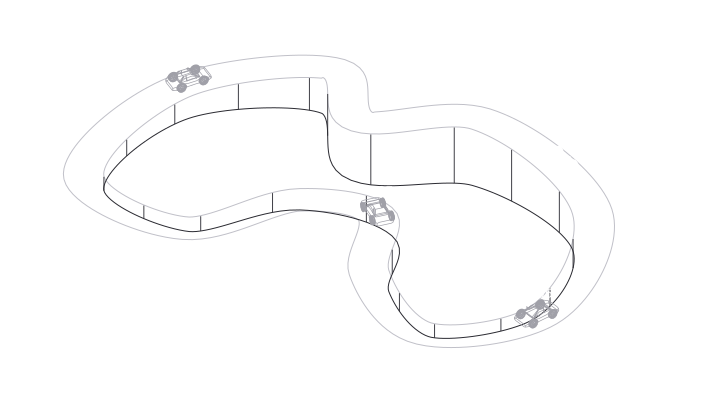
Fictional circuit · 4 cars · Example data
The stopwatch tells you how much.
Telemetry helps you understand why. Compare two laps and read every braking phase, every turn and every exit.
See how speed changes on corner entry and exit.
Same corner. Two ways through it. Conceptual demonstration; does not represent real results.
You do not need more numbers.
You need to know where to look.
Sessions, laps and telemetry channels in one space. Explore your driving and connect what you see with what you felt behind the wheel.
Overlay references, review your racing line and find where your braking, turning and acceleration change.
Organise your setups and plans. Take what you have learned back to the track, with a goal for your next session.
Record sessions with the desktop app. Capture depends on the simulator and its available channels.
Open your analysis space on the web. Review your laps and compare them with a reference.
Choose one detail to work on. Return to the track and assess what you have changed.
Capture sessions and use native overlays with PaceForge for Windows. Then review your driving on the web.
Stable release. Direct download from the PaceForge API.
Native overlays use the Windows desktop app and appear over the simulator. The web is for analysing your sessions. Each overlay depends on the channels available in the simulator.
Capture takes place in the desktop app. The web gives you access to the sessions in your account to review and analyse them.
Available channels depend on the simulator and the telemetry recorded in each session. PaceForge shows available data; simulators do not all offer the same channels.
At webapp.pace-forge.app. The “Open the app” and “Enter PaceForge” buttons take you straight there.
The detail is there.
Start seeing it.